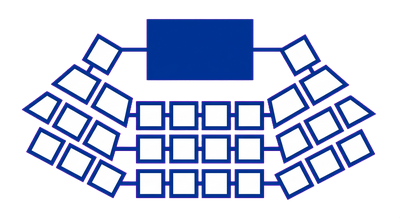
A hybrid event is two events run at once.
Pointing a webcam at the stage rarely gives remote attendees anything worth attending. Doing hybrid properly means a separate production budget, its own staff and a programme designed for two audiences, on top of everything the in-person event already costs. This guide sets out where online and hybrid genuinely work, what each adds to the bill, and the design choices that decide whether remote attendees get a conference or an afterthought.
Read Attending a Conference for how to judge whether going in person, online or hybrid is worth your time. Read Organising a Conference for the wider planning decisions, budget and timeline a hybrid event has to fit inside.What survives the screen, and what doesn't
A keynote with one speaker, slides and a fixed camera translates to a screen with almost no loss: the format is already built for a single line of attention, and the audience was never expected to talk to each other during it. The formats that struggle online are the ones whose value came from the room itself.
What holds up on screen
Single-speaker sessions, structured Q&A and pre-recorded demonstrations survive the move online with little compromise. A speaker presenting to camera loses almost nothing the audience came for. Panels work reasonably well too, but only if a moderator actively manages who speaks when; without that, a remote panel tends to collapse into whoever talks over whoever else fastest, because none of the usual visual cues for turn-taking carry over a video call.
What does not
The corridor track, the unplanned conversation between sessions where people actually meet each other, is the hardest thing to replicate online, and the thing organisers most often assume they can bolt on with a networking-room feature. Pairing two attendees at random in a video call is a different mechanism from two people recognising each other's badge in a coffee queue, and attendance in these online spaces usually falls away fast once the novelty wears off. Hands-on workshops suffer for a related reason: small-group work needs a facilitator who can read a room, and a facilitator watching six breakout rooms on a screen cannot see what is going wrong the way they can walking the floor of a physical workshop.
Sponsor exhibition space has the same problem in commercial form. A trade floor works because people walk past stands on their way somewhere else. An online booth only gets visited by someone who chooses to click into it, and sponsors who have paid for a physical stand's worth of visibility usually notice the drop in traffic.
Why session length has to change
Remote attendees are not less able to concentrate than a room full of people; they simply have no social pressure keeping them in their seat, with a colleague, a phone and a second monitor all one click away. A session that runs comfortably for 45 to 60 minutes in person is a 25 to 30 minute session online, with the time saved handed back to a properly moderated Q&A. The wider question of how to sequence sessions across a day is covered in Designing a Conference Programme; the online version is an adjustment to that same design.
One adjustment applies regardless of format: a remote attendee following a session through captioning (CART, live captions produced by a human operator or an automated service) is relying on it in a way an in-person attendee following a slide deck is not, so caption quality for an online or hybrid session needs the same attention as the choice of platform. What the Equality Act 2010 requires here is covered in Accessibility and Codes of Conduct.
The test that decides which format a session belongs in is whether its value sits in what the speaker says or in what the room does with it afterwards. Content delivery survives the screen. Room dynamics generally do not, and a hybrid event that assumes otherwise is the one where remote attendees spend the day watching a fixed camera pointed at the back of the room, drawing their own conclusions about how much they were wanted there.
The real cost of hybrid
What "we'll just stream it" leaves out
A single camera on a tripod, pointed at a stage, plugged into a laptop, is not a hybrid event. It's a webinar with worse audio, and it's the plan that catches out organisers who treat streaming as an afterthought. A hybrid event is two events happening at once, one in a room and one on a screen, and each needs its own equipment, its own crew and its own line in the budget.
Equipment and production
The equipment a hybrid event needs sits on top of the AV your venue already provides for the room: multiple cameras, a vision mixer to cut between them, microphones that feed the stream cleanly, and an encoder that turns all of that into something a platform can broadcast. Slides, questions from the floor and any audience polling need to appear on the stream in a form the remote audience can read, which usually means a dedicated feed. None of this is optional if the aim is to give the remote audience something worth watching.
Staffing the second event
The in-person team runs the room: stage manager, AV technician, registration desk. The online audience needs its own team running in parallel, because someone has to direct the camera cuts, someone has to moderate the chat and surface questions to the stage, and ideally one person's only job is watching the stream as an attendee would see it, catching problems before they become visible to the audience. Asking your existing AV crew to take this on alongside their in-person duties is how sessions go out with dead air, a frozen slide, or a chat window nobody read.
Platform, rehearsal and connectivity
The platform carries its own cost and its own commitment. Video-conferencing software built for a meeting handles a conference audience differently to software built for one, and the difference shows up in the questions and interaction, which this guide covers separately under platform selection. Whichever platform is chosen needs a full technical rehearsal in the actual room, on the actual internet connection, with the actual presenters. Bandwidth at the venue is the detail that catches organisers most often: a connection that comfortably serves registration and email in the morning can struggle under a live encoded stream by the afternoon, and venues rarely mention this until someone asks.
The decision this forces
The equipment, staffing, platform and rehearsal time are each additional to the in-person budget, so a proper hybrid event costs more overall. Organisers who get this right decide early whether the budget stretches to a full second production or whether it is more useful to run the in-person event well and release a recording afterwards. The venue and catering costs already carry line items that get missed before hybrid production is even added; see Venues, Catering and the Costs Nobody Budgets For for what sits underneath the AV quote, and check the Worked Examples and Templates page for a budget structure you can adapt.
In-person, online and hybrid compared
Each format suits different content and different audiences. The right choice depends on what attendees actually need from the day.
| Format | Best for | Watch out for | What it needs |
|---|---|---|---|
| In-person | Content that depends on being in the room: workshops, hands-on sessions, and the break in the schedule where people actually meet each other. | Travel time and venue cost mean attendance is limited to people whose employer will fund a day out of the office, or who can get there and back. | A venue, catering and AV for the room. No separate remote production layer to plan or staff. |
| Online | Content-led sessions where the value sits in the material itself, such as talks, panels and demonstrations that do not depend on being physically present. | The informal networking that happens between sessions largely disappears. No platform feature reliably replaces a conversation that starts because two people are standing near the same coffee urn. | A platform built for conferences rather than webinars, a producer running the technical side of the day, and captioning (CART) if the session needs to be accessible to deaf or hard-of-hearing attendees. |
| Hybrid | Reaching people who cannot travel or afford an in-person ticket, without giving up the in-person event for those who want it. | Streaming the in-person room to a remote audience is not the same as designing a programme for both audiences. Remote attendees notice fast when a session was built for the room and they were added afterwards. | Everything the in-person event needs, plus a producer, a platform, dedicated camera and audio for the remote feed, and session formats planned for remote attendees from the start. |
This is general guidance on where each format tends to work.
Choosing a platform: what a webinar tool cannot do
A webinar tool and a conference platform look similar in a sales demo. One presenter, one screen, a chat panel down the side. The difference shows up the moment your programme has more than one thing happening at once: a main stage running alongside a breakout, a sponsor area, a corridor track (informal conversation space) where people go to actually meet each other. Most webinar platforms were built to broadcast to an audience. If your event has one speaker talking to everyone for the whole day, a webinar tool is probably the right and cheaper choice. If it has parallel sessions, breakouts, or any expectation that remote attendees can talk to each other rather than just watch, you need a platform built for that.
What to ask before you sign a contract
Ask the vendor how many concurrent sessions the plan actually supports. Ask what happens to a session in progress if the platform has an outage, and whether there is a fallback (a second stream, a backup link) built into the plan you're buying. Ask how attendee data is exported at the end, because you will want it for future marketing and you do not want to find out during teardown that it lives in a format nobody can use. Ask, separately, what the platform does for captioning and how a captioner or CART (captioning) provider connects to the stream. This is not a feature to check later: some platforms make live captioning straightforward and others make it an integration problem that eats a week of someone's time.
What to test before the day
Run a full rehearsal with the actual number of presenters you expect on the busiest session. Test the handover between speakers, because this is where platforms most often stumble: audio drops, screen share hangs, the next speaker isn't unmuted in time. Test what a remote attendee sees and hears when they join five minutes late, join from a phone, or lose their connection and rejoin. If your event is hybrid, test the specific thing that hybrid actually requires: what the in-room audience sees of the remote questions, and what the remote audience sees of the room. A platform that handles a pure online conference well can still handle a hybrid one badly, because the room and the screen have to be reconciled live, and that reconciliation is usually where the budget and the rehearsal time actually go.
The question underneath the feature list
The platform decision is really a decision about what kind of event you're running. A tool chosen because it was cheap or already licensed elsewhere will shape your programme to fit its limits, usually by quietly dropping the breakouts, the networking, or the captioning that didn't fit the demo. Choose the platform after you've decided what the programme needs to do.
What changes when part of the audience is remote
A programme built for a room and then streamed to a remote audience is not the same programme, even when the running order looks identical on paper. The pacing, the format choices and the mechanics of asking a question all behave differently on a screen, and a session designed purely for the people in the chairs will leave remote attendees watching a broadcast.
Session length needs cutting, not just the timings copied over
A 45 to 60 minute talk works in a room because the speaker's presence, the audience's body language and the shared physical space all help hold attention. None of that carries through a webcam. Online sessions hold up better in blocks of around 20 to 30 minutes, with a deliberate change of format or a short break between them, because attention on a screen falls away faster than attention in a seat.
Some formats survive the screen, others don't
A panel of four speakers is hard enough to follow in a room; on a shared video feed, with no cues from posture or eye contact to show who is about to speak, it becomes genuinely difficult to track. A single speaker with slides and a moderated live Q&A holds attention far better online. Workshops and breakout discussions can work remotely if the platform genuinely supports separate small-group video rooms, but they need more active facilitation than the equivalent in-person breakout, where a wandering facilitator can just listen in.
The format that survives worst is the one nobody schedules on purpose: the corridor track, the informal conversation between sessions that often accounts for a large share of what attendees actually value. That does not happen automatically online. It has to be built deliberately, through scheduled small-group video slots or a moderated topic-based chat, or it simply does not exist for remote attendees.
Pacing has to fight the passive-viewer problem
An attendee in a room can be seen not paying attention. An attendee on a stream can mute the call and answer email, and a session that runs as a straight, uninterrupted lecture makes that easy to do. Building in a poll, a chat question or a direct call-out roughly every ten minutes keeps a remote audience actively engaged.
Interaction has to be built for remote attendees.
In a hybrid session, the room asks questions by raising a hand; remote attendees ask by typing into a chat window that nobody in the room can see unless someone is watching it. If no one is assigned to that job, remote attendees are effectively watching one-way television while the room has a conversation. A workable hybrid session has a moderator whose only task is reading the remote channel and voicing those questions into the room, separate from whoever is running the technical side of the stream. The camera and microphone setup needs to let remote attendees actually see the speaker's face and slides and hear questions from the room.
Accessibility applies to the stream as much as the room
Captioning (CART, live captioning of spoken audio into readable text) matters more online than in person, because a remote attendee cannot lean over to a neighbour and ask what was just said. The reasonable-adjustment duty under the Equality Act 2010 applies to the online component of an event as much as the physical one, and WCAG 2.1 AA is the relevant standard for any streamed or recorded video and the platform interface itself. This needs deciding at the programme stage.
For the broader mechanics of building a running order, see Designing a Conference Programme. For the legal duty and what a reasonable adjustment looks like in practice, see Accessibility and Codes of Conduct.